


Millions of people in Madhya Pradesh work as daily wage labourers, construction workers, street vendors, domestic helpers, drivers, electricians, plumbers, and small farmers. Most of them do not receive benefits such as insurance, a provident fund, or a pension. If they face an accident, disability, or the loss of the family's earning member, they often struggle financially.
To support these workers, the Madhya Pradesh Government launched the Mukhyamantri Jan Kalyan (Sambal) Yojana and introduced the Sambal Card. The scheme was later upgraded to Sambal 2.0, making registration, e-KYC, status checking, and card download completely online. In this guide, you'll learn everything about the Sambal Card, including its benefits, eligibility, online application process, status check, and download steps.
The Sambal Card is a card launched under the Mukhyamantri Jan Kalyan (Sambal) Yojana scheme. This card is designed for people working in the unorganised sectors, such as daily wage workers (labourers); construction workers; and small-time workers like electricians, drivers, plumbers, domestic workers, street vendors, and small farmers.
These people do not have a stable income and usually do not get job security, insurance, or proper financial support.
The government introduced the Sambal Card because many poor families faced financial difficulties during emergencies—such as accidents, illness, or death—without having any support system in place.
However, through the Sambal Card, they now receive financial assistance, affordable electricity, support for their children's education, and health-related benefits.
Sambal 2.0 MP is an updated version of Sambal. The previous version had some shortcomings. After that, the Madhya Pradesh government launched Sambal 2.0 under the Mukhyamantri Jan Kalyan (Sambal) Yojana, in which all the shortcomings were rectified. In this version, the system has been made online, fast and transparent so that people can apply easily and get the benefits directly.
This entire amount is provided to support the family.
Note: These details are based on information available on the official Sambal 2.0 page managed by the Damoh district administration (a government website developed by the National Informatics Centre). The portal is designed to simplify the scheme and ensure a transparent process for users.
Also Read: PM Awas Yojana Beneficiary List 2026
If a worker is registered under the Sambal scheme and is facing any kind of crisis – such as an accident, permanent disability, or death – the government immediately provides financial assistance to their family.
The primary objective is to ensure the family does not struggle financially during such difficult times. Since many unorganised sector workers lack insurance or savings, this support is crucial for them.
Under this ex-gratia framework, the government-fixed compensation amounts have been determined for various situations. For instance, a higher amount is provided in the event of accidental death compared to natural death, and varying levels of financial support are offered in cases of disability.
Additionally, a small amount of immediate assistance is provided for funeral expenses. All funds are transferred directly to the beneficiary's bank account via Direct Benefit Transfer (DBT), ensuring a fast and transparent process that eliminates the need for middlemen.
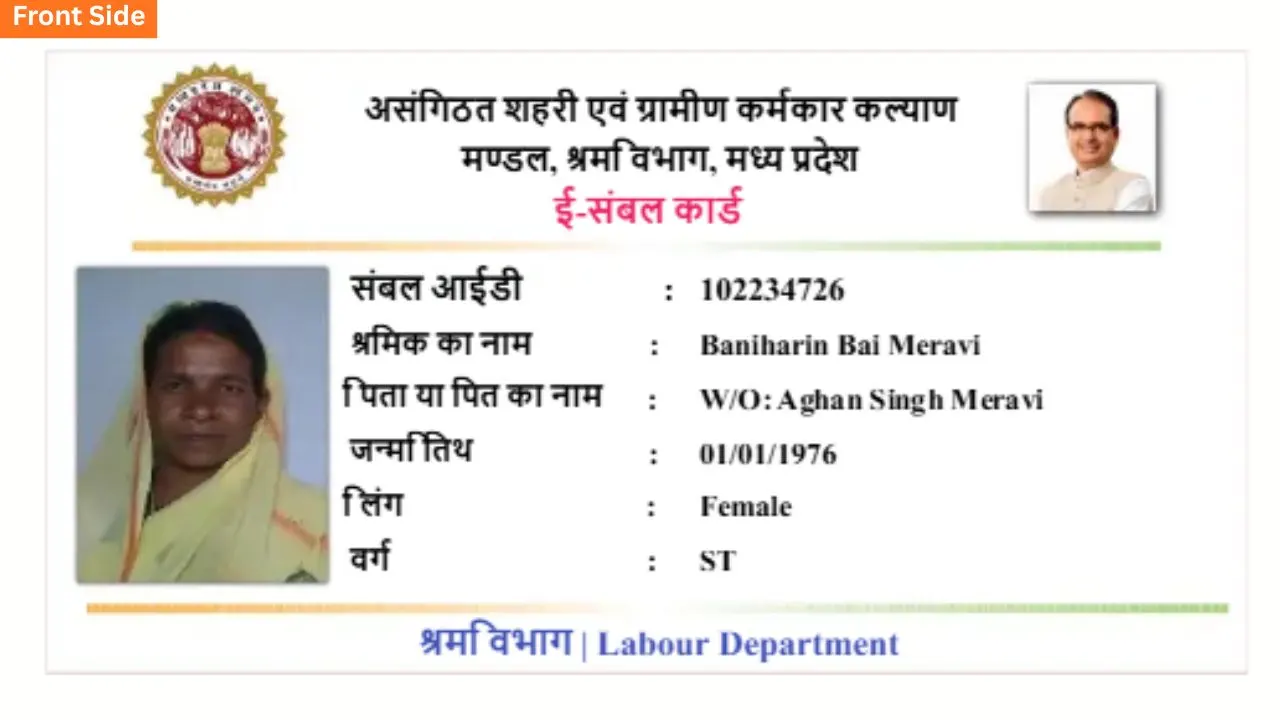
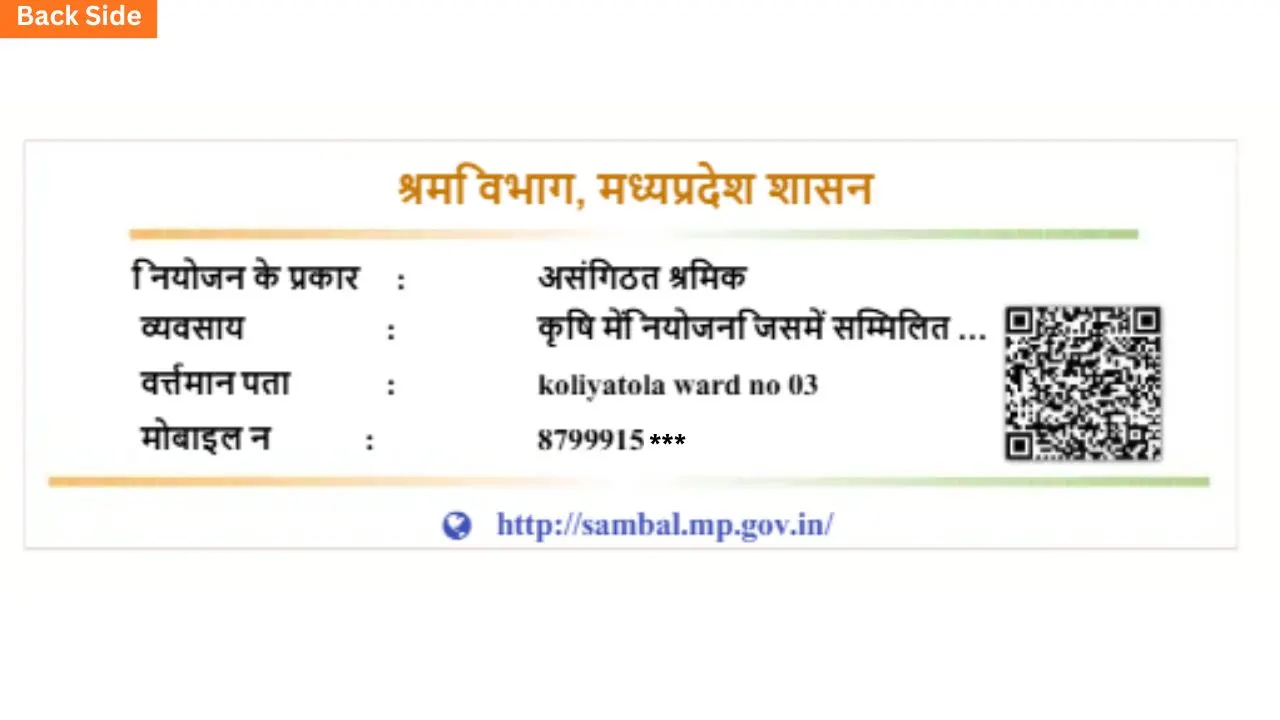
If you are searching for a "Sambal card photo", you essentially want to see what the card looks like and what its format is. This also allows you to verify whether your card has been issued correctly.
Nowadays, you can also download your Sambal card from the online portal, obtaining it in a digital image or PDF format. You can use this copy for verification, claiming government benefits, or documentation purposes.
The Sambal Card Portal is the official site of Mukhyamantri Jan Kalyan (Sambal) Yojana.
where all services related to Sambal Card are available in one place.
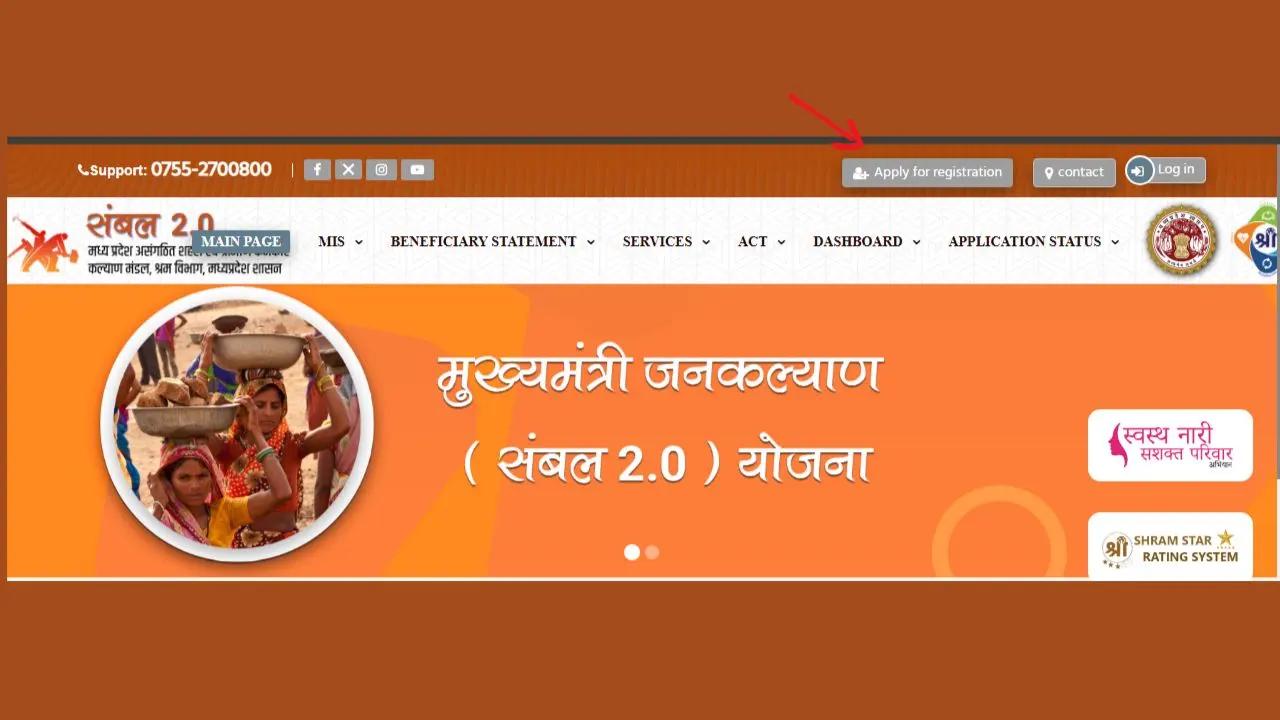
Applying for a Sambal Card online is a simple process that allows eligible workers in Madhya Pradesh to register under the Mukhyamantri Jan Kalyan (Sambal) Yojana. Applicants need a valid Samagra ID, completed e-KYC, and basic personal details to submit the application through the official Sambal Portal.
Once the registration is completed successfully, an application number is generated, which can be used to track the application status and download the Sambal Card after approval.
The Sambal Portal is an online platform where workers (labourers/unorganised sector workers) can get their Sambal Card made, check its status, and download it.
Previously, these tasks had to be done offline (requiring visits to a panchayat or office), but now, with the help of the portal, everything has become easy and can be done online.
The Sambal card status check download is a simple online process that allows you to track the status of your Sambal 2.0 application and download the card once it is approved.
To do this, you need to visit the official Sambal portal and enter your Samagra ID or application number. Checking the status lets you know whether your form is pending, under verification, or has been approved.
If the status shows "Approved", you can download your Sambal card in PDF format and print it .
Samagra ID is a unique identification number issued by the Government of Madhya Pradesh under the Samagra Social Security Mission. It is used to identify individuals and families so they can easily access various government schemes and benefits.
The Sambal Card and e-Shram Card are both government schemes for unorganized workers, but they are different. The Sambal Card is offered by the Madhya Pradesh Government and is only for eligible workers living in the state.
It provides benefits like financial assistance, education support, maternity benefits, and other state welfare schemes. On the other hand, the e-Shram Card is a Central Government scheme that creates a national database of unorganized workers and helps them access social security benefits across India.
|
Feature |
Sambal Card |
e-Shram Card |
|
Scheme Type |
State Government welfare scheme |
Central Government welfare scheme |
|
Launched By |
Government of Madhya Pradesh |
Ministry of Labour & Employment, Government of India |
|
Coverage |
Available only for eligible workers in Madhya Pradesh |
Available for unorganized workers across India |
|
Purpose |
Provides state-specific financial assistance and welfare benefits |
Creates a national database and connects workers to social security schemes |
|
Registration ID |
Samagra ID |
Aadhaar Number |
|
Registration Portal |
MP Sambal Portal |
e-Shram Portal |
|
Benefits |
Financial assistance, education support, maternity benefits, and other state welfare schemes |
Social security benefits, UAN, and access to Central Government schemes |
|
Validity |
Valid only within Madhya Pradesh |
Valid across all states and Union Territories in India |
|
Who Can Apply? |
Eligible unorganized workers residing in Madhya Pradesh |
Eligible unorganized workers from any state in India |
Application showing "Pending": This usually means your application is waiting for verification by the local authority. Visit your nearest Gram Panchayat or ward office to check the status and complete the verification process if required.
OTP not received: Make sure your mobile number is linked with your Aadhaar card. If it is, wait for a few minutes and try requesting the OTP again. If the issue continues, check your network or try again later.
Card not downloading: Check your internet connection, enable browser pop-ups, and try again. If the problem continues, visit your nearest CSC or Gram Panchayat for help.
Wrong details on the card: Apply for a correction through the Samagra portal or visit your nearest Samagra/Gram Panchayat office with the required documents.
If you need assistance with Sambal Card registration, application status, card download, or any scheme-related issue, you can contact the official Madhya Pradesh government support channels below.
|
Contact Details |
Information |
|
Official Sambal Portal |
Sambal Portal |
|
CM Helpline (Within MP) |
181 (Toll-Free) |
|
CM Helpline (Outside MP) |
+91 755-2555582 |
|
CM Helpline Timings |
7:00 AM to 11:00 PM |
|
Email Support |
cmhelpline@mp.gov.in |
|
WhatsApp Chatbot |
Send "Hi" to +91 755-2555582 for scheme information and complaint services |
The Sambal Card is an official identification card issued under the Sambal Yojana (mainly in Madhya Pradesh). It helps unorganised workers get government benefits like financial assistance, insurance, and welfare schemes.
2. How can I do a Sambal Card status check online?You can check your Sambal Card status by visiting the official Sambal Card portal. Enter your Samagra ID or registered details, and you will be able to see your application or card status instantly.
3. How to download a Sambal card online?To download your Sambal Card, go to the Sambal Card portal, log in using your details (like Samagra ID or mobile number), and click on the download option. You can save it as a PDF or print it.
4. What is the official Sambal Card portal?The Sambal Card portal is the government website where users can apply, check status, and download their Sambal Card. It also provides information about benefits and schemes.
5. Can I see my Sambal Card photo online?Yes, you can view your Sambal Card photo online by logging into the portal. Your registered photo will appear along with your card details.
6. What is Sambal Card 2.0?Sambal Card 2.0 is the updated version of the Sambal Yojana. It includes improved features, better tracking, and expanded benefits for registered workers.
7. How can I check the Sambal Card image or details?You can check your Sambal Card image and details by visiting the portal and entering your Samagra ID. The card preview will show your name, photo, and eligibility details.
8. Who is eligible for a Sambal Card MP?People working in the unorganised sector, such as labourers, daily wage workers, and small workers, are eligible for a Sambal Card under the scheme.
9. What documents are required for applying for the Sambal Card online?Common documents include:
Sambal cardholders can get benefits like the following: